

Coupons apply to subscription-plan purchases. You cannot apply a coupon to a credit pack or a custom credit top-up.
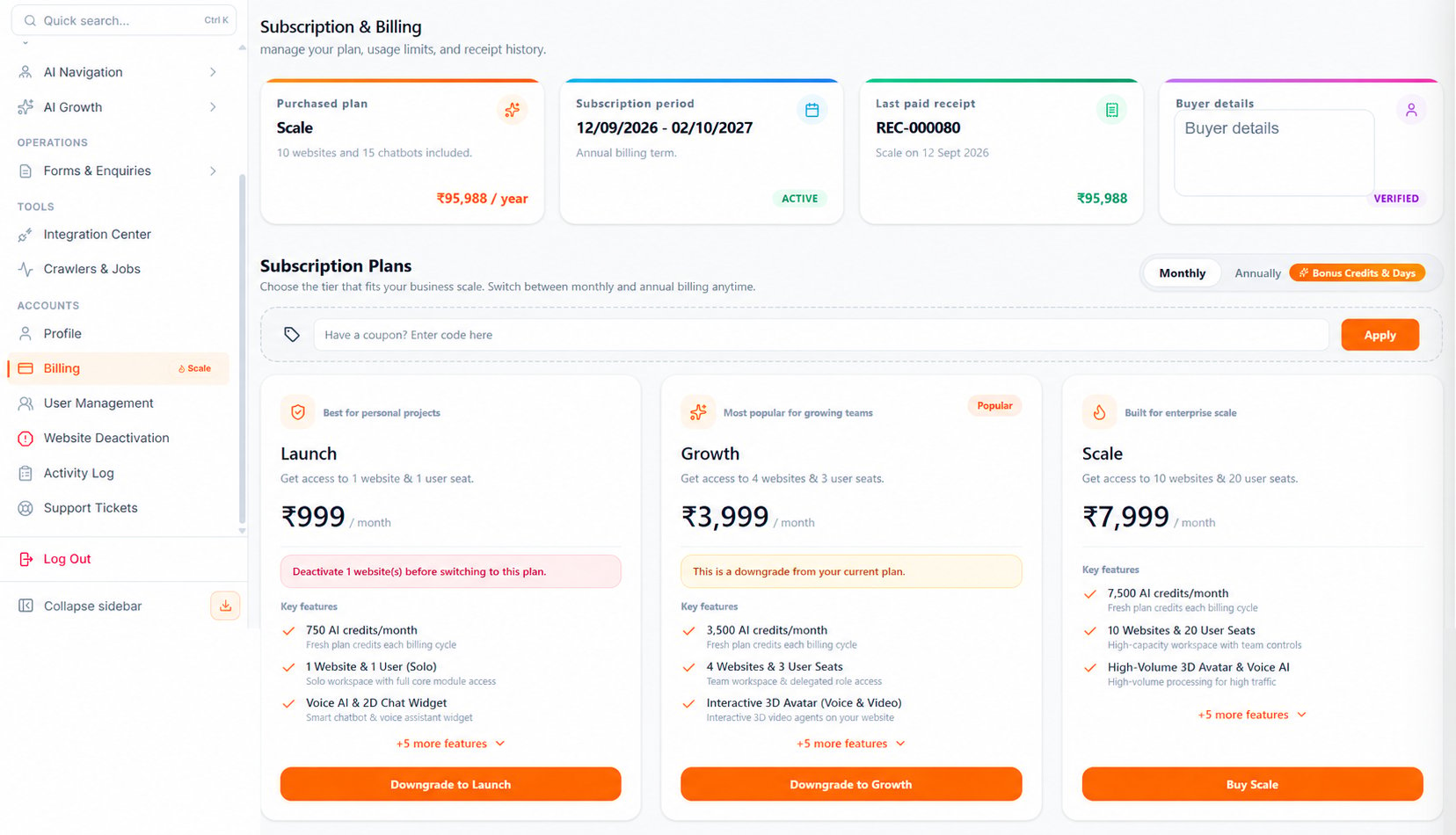
The billing images on this page are generated illustrations based on the interface, not captured screenshots. Labels and amounts can differ from the running portal.
Where to find coupons
Open: https://portal.wowagent.ai/billing Or go to: Accounts > Billing The coupon field appears below the Monthly and Annually selector and above the subscription plans. It also appears in the purchase summary for a plan.Apply a coupon
1
Choose a billing cycle
Select Monthly or Annually first. Some coupons work with only one billing cycle. Changing the billing cycle clears the current coupon so the code can be checked again.
2
Enter the coupon code
Type the code in Have a coupon? Enter code here. WOWagent changes letters to uppercase automatically.
3
Click Apply
Click Apply and wait for validation. If the code is valid for the selected plan and your account, Billing shows Coupon applied.
4
Review eligible plans
Eligible plan cards show Coupon eligible. A price-discount coupon also shows the original price, discounted price, savings, revised GST, and new payable amount.
5
Choose the plan
Click Buy Launch, Buy Growth, Buy Scale, or the available upgrade or downgrade action. WOWagent checks the coupon again for the plan you selected.
6
Confirm the purchase summary
Check the coupon code, discount, GST, and Net Payable Amount. You can also enter a coupon directly in this summary if you did not apply one on the plans page.
7
Continue to payment
Click Proceed to pay only after the final total is correct. Payment opens securely through PhonePe.
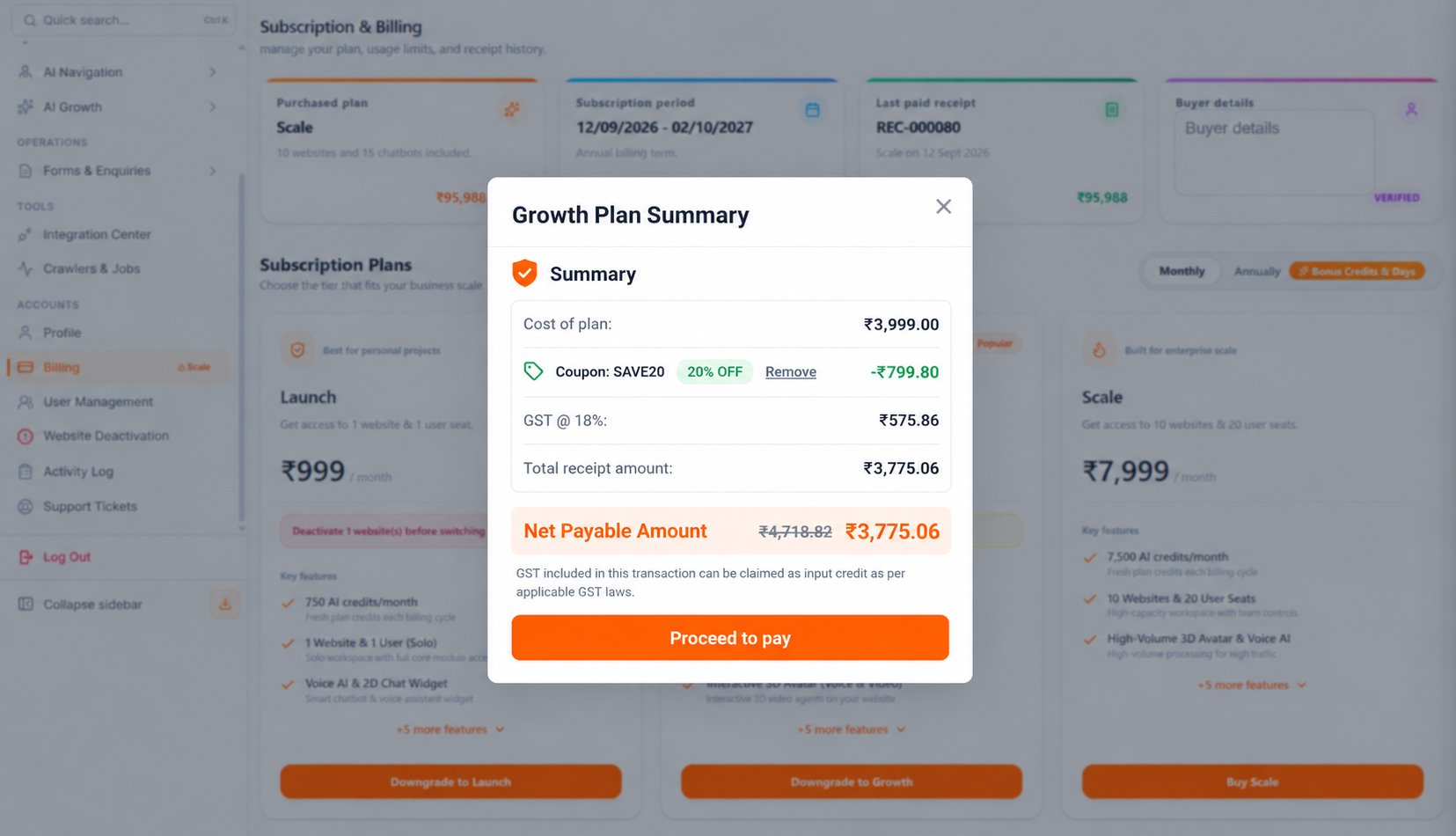
The coupon code and amounts in this illustration are examples. Your available benefit and payable total depend on the code, plan, and billing cycle.
Understand the coupon result
A coupon can provide one of these benefits:- Percentage discount: removes a percentage of the eligible base plan price. A maximum discount can apply.
- Fixed-amount discount: removes a fixed rupee amount from the eligible base plan price.
Remove or replace a coupon
Use Remove on the Billing plans page, then select the plan again and inspect a fresh purchase summary. When changing or removing a code inside a summary, close and reopen it and verify the resulting amount before paying.Why a coupon may not apply
A code can be rejected when:- It is incorrect, inactive, paused, scheduled for a future date, expired, or fully redeemed.
- It is limited to first-time buyers, current subscribers, or selected customers and your account is not eligible.
- It is not valid for the selected plan.
- It supports only monthly or only annual billing.
- It supports a different purchase type.
- The base plan price does not meet the minimum purchase amount.
- You have already used the coupon the maximum number of times.
Next steps
Plans and Credits
Compare plans, prices, credits, and billing cycles.
Troubleshooting
Fix coupon validation and billing issues.