

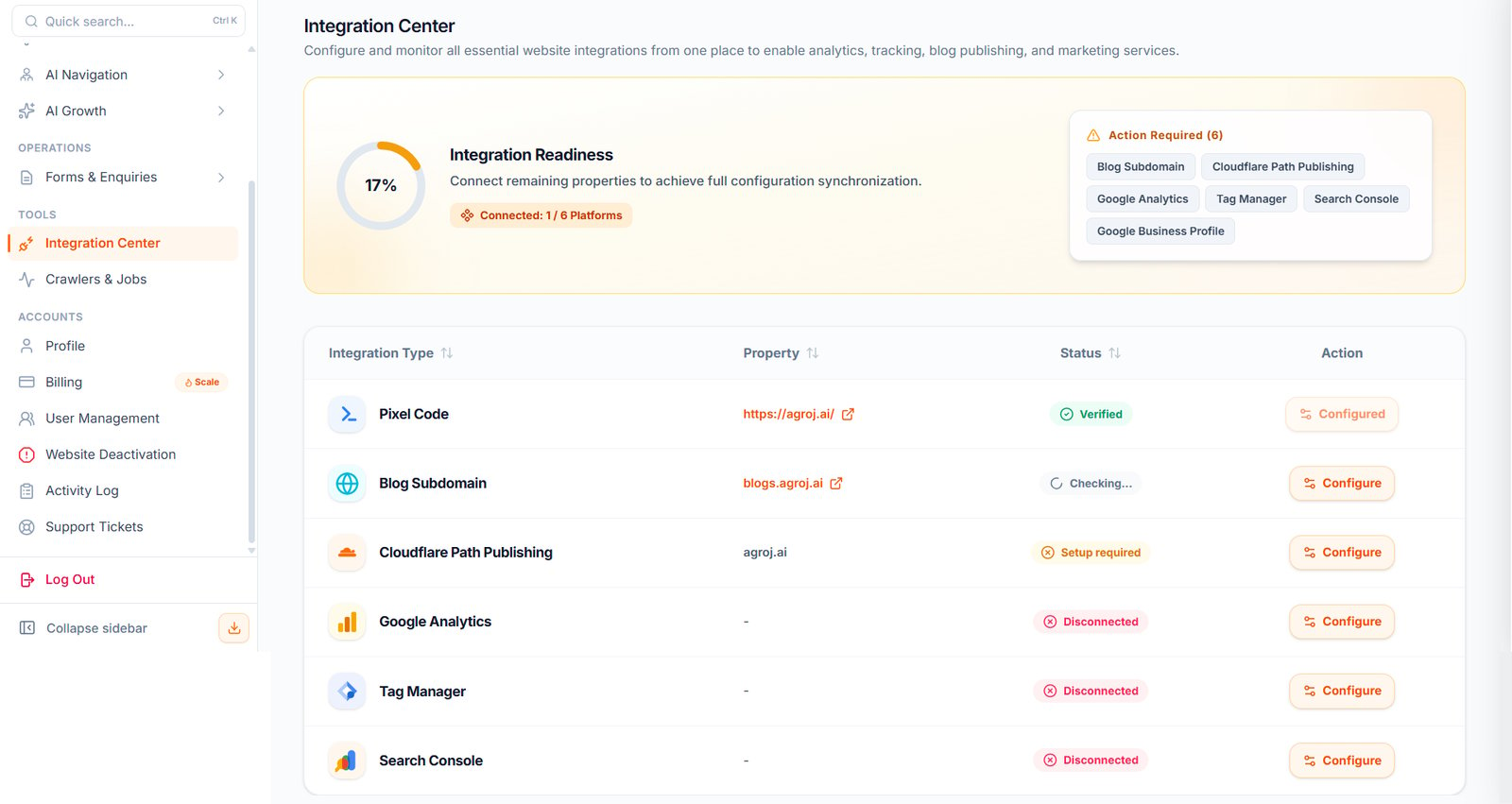
Where To Find It
Open: https://portal.wowagent.ai/website/integrations Or go to: Website Operation > Integration CenterWhy Integration Center Is Important
Integration Center helps WOWagent connect your website with the tools required to run important features. These integrations may be needed for:- Website tracking
- AI assistant widget setup
- Chatbot verification
- Analytics reports
- SEO insights
- Blog publishing
- DNS or domain setup
- Marketing and tracking services
Integration Readiness
The Integration Readiness section shows how complete your setup is. It may show:- Connected integrations
- Disconnected integrations
- Required actions
- Setup required status
- Verification status
Common Integrations
You may see setup for:- Pixel Code
- Blog Subdomain
- Cloudflare Path Publishing
- Google Analytics
- Tag Manager
- Search Console
- Google Business Profile
What You Should Do First
When you open Integration Center, check which items are incomplete. Start with the required setup items first. Usually, you should complete:- Website widget or pixel setup
- Analytics connection
- Search or SEO related connections
- Blog publishing setup, if you want to publish content
- DNS or Cloudflare setup, if required
Locked Features
If a menu item is locked, it usually means WOWagent is waiting for one or more required integrations. For example, some growth or publishing features may require DNS or blog publishing setup first. If something is locked, return to Integration Center and complete the missing setup.Website Widget Setup
The website widget allows your AI assistant to appear on your website. You may need to copy a script or follow setup instructions inside Integration Center. After installation, verify the widget from the panel.Analytics And Search Integrations
Analytics and search integrations help WOWagent understand website traffic, SEO performance, visitor behavior, and growth opportunities. If available, connect services such as:- Google Analytics
- Google Search Console
- Tag Manager
- Other supported website tracking tools
Blog Publishing Setup
If you want to use AI Growth and publish generated content, complete the publishing setup. This may include domain, DNS, or Cloudflare configuration depending on your website setup.Recommended Setup Order
- Select the correct website in WOWagent.
- Open Integration Center.
- Complete required integrations first.
- Install and verify the website widget or pixel.
- Connect analytics and search tools.
- Configure publishing if you want to use AI content.
- Refresh or verify each integration status.
If An Integration Fails
Check these points:- You are working on the correct website.
- You have admin access to the external service.
- Your DNS or website change has finished updating.
- The widget script was added to the correct website.
- The website is live and publicly accessible.
- You are checking the correct workspace.