

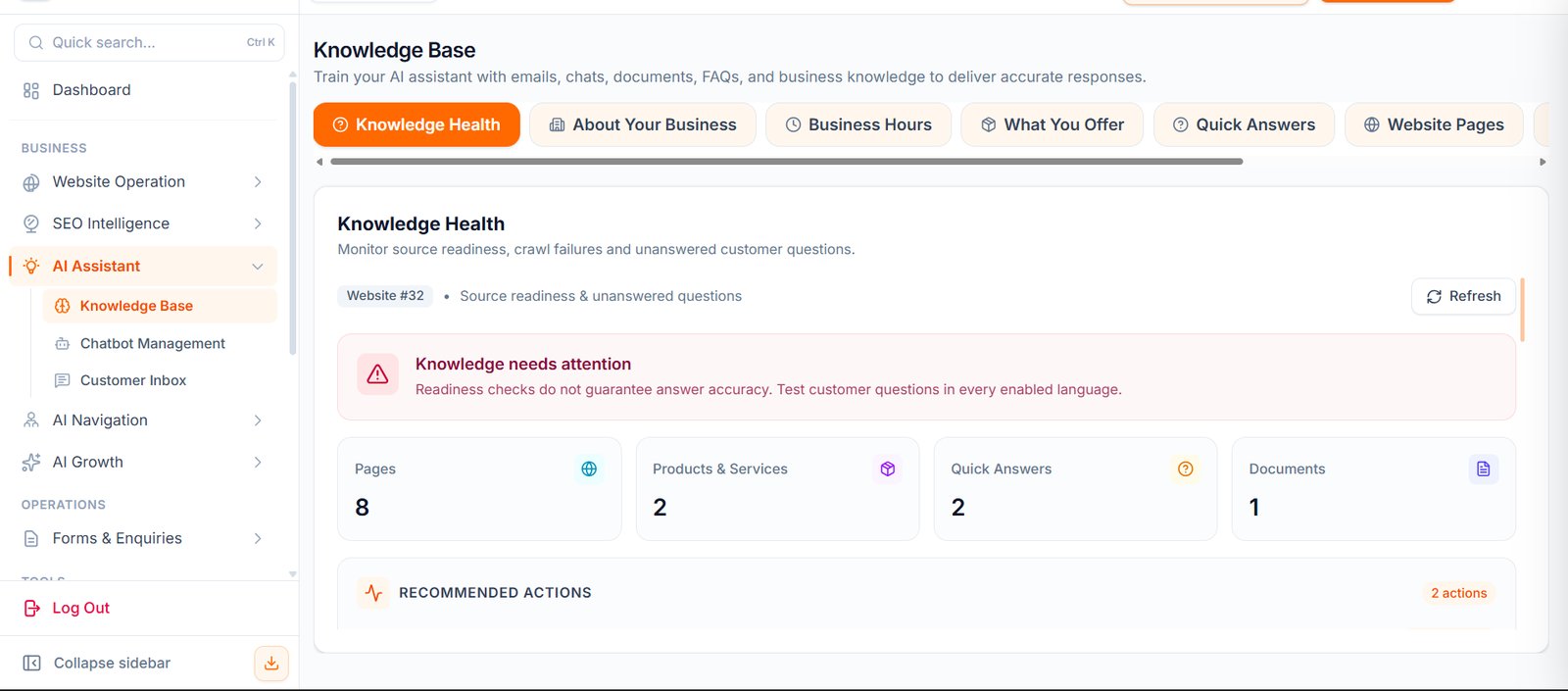
Where To Find It
Open: https://portal.wowagent.ai/ai-agent/knowledge-base Or go to: AI Assistant > Knowledge BaseWhy Knowledge Base Is Important
Your AI assistant can only answer well if it has correct information. Use Knowledge Base to teach it about:- Your business
- Your services
- Your products
- Your pricing
- Your FAQs
- Your policies
- Your website pages
- Your documents
- Your business hours
- Your boundaries
Knowledge Health
Knowledge Health shows whether your assistant has enough useful information. Use it to check:- Source readiness
- Missing information
- Crawl issues
- Unanswered questions
- Training quality
- Recommended actions
About Your Business
Use this section to add your business profile. Add details such as:- Business name
- Business category
- Contact details
- Email address
- Phone number
- Business description
- Business address
Business Hours
Use Business Hours to tell the assistant when your business is open or closed. Add opening and closing times for each day. If your business is closed on a day, mark it as closed.Products And Services
Use this section to explain what your business offers. Add:- Product or service name
- Pricing or package details
- Features
- Benefits
- Important notes
FAQs
Use FAQs to add common customer questions and approved answers. Examples:- What services do you provide?
- What are your prices?
- How can I contact you?
- Do you offer support?
- What is your refund policy?
- How long does delivery take?
Website Pages
Website Pages are pages crawled from your website. These pages help the assistant understand your website content. Review this section to make sure important pages are included.Upload Documents
Use Upload Documents to add files that contain useful business information. You can upload files such as:- Brochures
- Service documents
- Product sheets
- Menus
- Policy documents
- Pricing documents
- Company documents
Bot Boundaries
Bot Boundaries tell the assistant what it should not do. Use this section to define rules such as:- Do not answer legal questions
- Do not answer medical questions
- Do not share internal pricing margins
- Do not make promises your team cannot fulfill
- Connect the visitor to a human when needed
Best Practices
Use clear and complete information. Keep contact details updated. Add real customer questions to FAQs. Upload only current and approved documents. Review Knowledge Health regularly. Test the assistant after every major update.When To Update Knowledge Base
Update Knowledge Base when:- Your pricing changes
- Your services change
- Your working hours change
- Your policies change
- Your contact details change
- You add new website pages
- Visitors ask questions the assistant cannot answer