

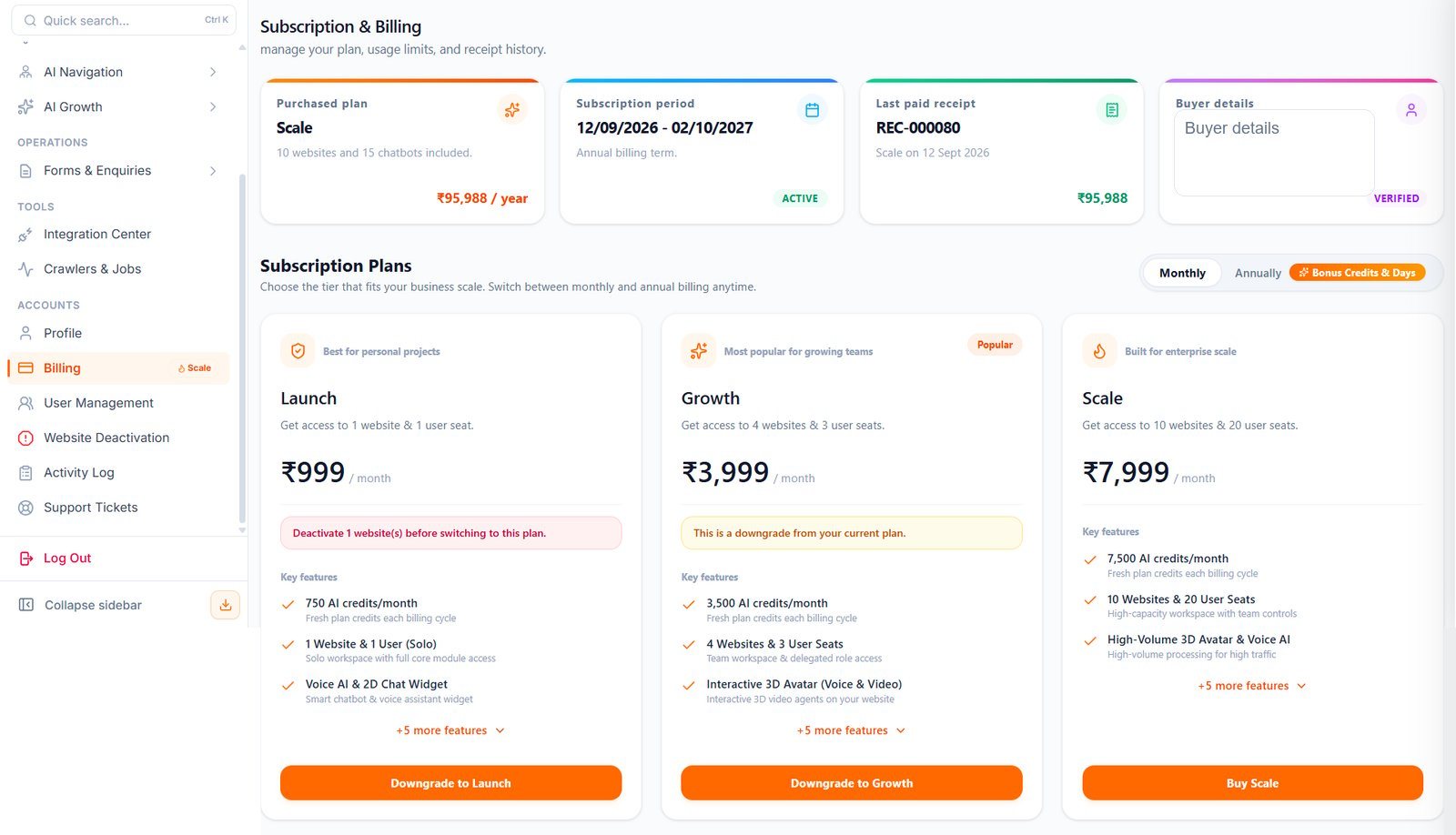
Billing URL
Open: https://portal.wowagent.ai/billing Or go to: Accounts > BillingProfile
Open: https://portal.wowagent.ai/profile Use Profile to manage your personal account details. You may update:- Full name
- Company name
- Mobile number
- Profile image
- Password
Billing
Use Billing to review and manage:- Current plan
- Subscription status
- Credits
- Credit top-up
- Upgrade options
- Downgrade options
- Transaction history
- Payment records
Subscription Plans
Billing may show available subscription plans. Review the plan details carefully before switching. Plans may include different limits for:- Number of websites
- User seats
- AI credits
- Chatbots
- Voice or avatar features
- Team controls
- Content or SEO tools
Credits
Some WOWagent actions may use credits. Examples may include AI tasks, scans, content generation, or other usage-based features. If you do not have enough credits, the panel may show an insufficient credit message. To continue, review your plan or add credits from Billing.User Management
Open: https://dev.sso.portal.wowagent.ai/user-management Use User Management to invite team members and manage access. This is useful when multiple people need to work on the same website or workspace.Workspaces
WOWagent supports workspace access. A workspace helps separate account access, websites, permissions, and team activity. If you are invited to a workspace, accept the invitation and select the correct workspace from the panel.Activity Log
Open: https://portal.wowagent.ai/activity-log Activity Log helps you review important actions in the account. Use it to check what changed and when.Support Tickets
Open: https://portal.wowagent.ai/support-tickets Use Support Tickets when you need help from the WOWagent team. Create a ticket for:- Setup problems
- Integration issues
- Billing questions
- Website scan problems
- Chatbot issues
- Lead capture issues
- Account access problems
Website Deactivation
Open: https://portal.wowagent.ai/danger-zone Use this only when you want to deactivate or remove a website. Be careful. Deactivation may affect tracking, chatbot availability, reports, and website workflows.Recommended Account Routine
- Keep profile details updated.
- Review billing and credits regularly.
- Invite only trusted team members.
- Check Activity Log for important changes.
- Use Support Tickets for issues that need help.
- Be careful before deactivating a website.