

Where To Find It
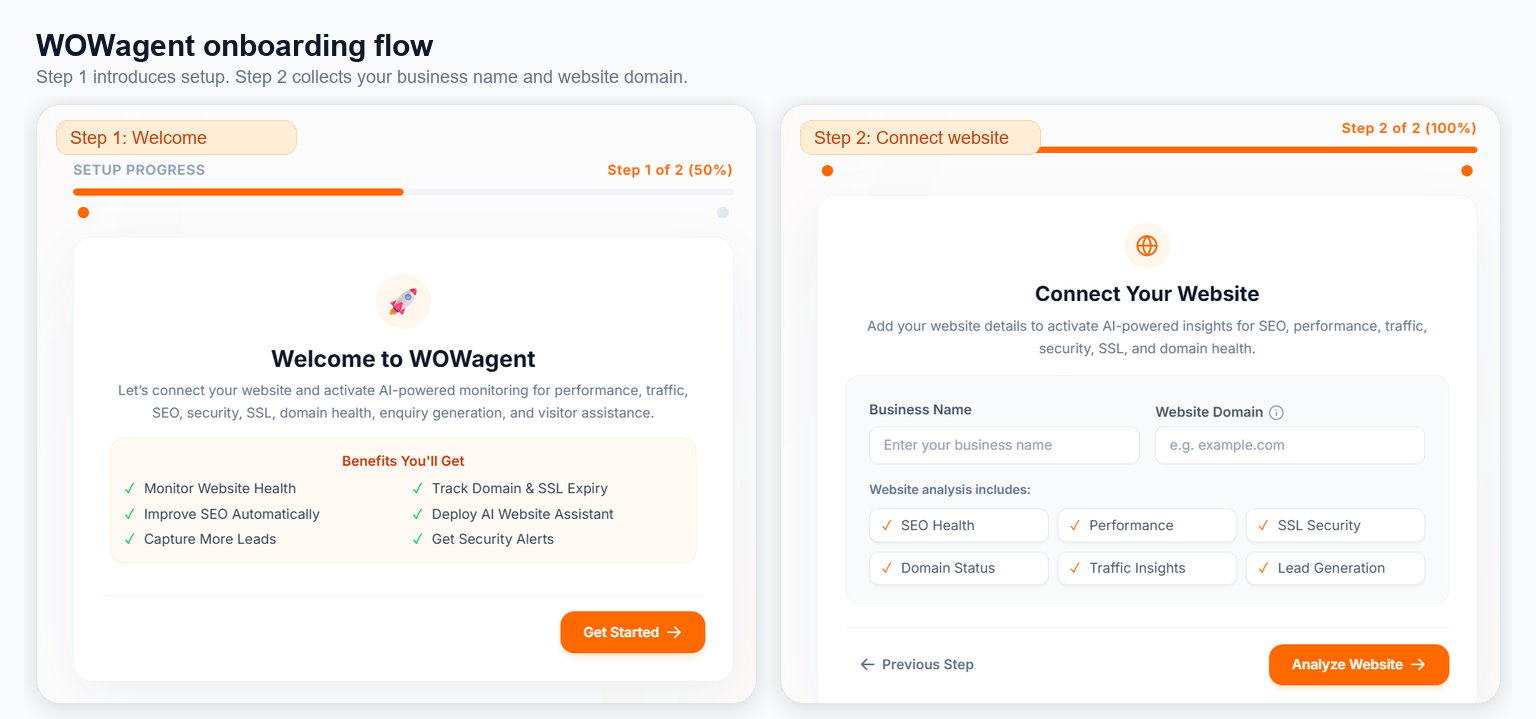
Open onboarding: https://portal.wowagent.ai/onboardStep 1: Start Onboarding
Click Get Started. This begins the website setup flow.Step 2: Enter Business Name
Add your business name. Use the same name your customers recognize. Example: WOWagentStep 3: Enter Website Domain
Enter only the clean domain name. Correct example: example.com Do not enter: https://example.com http://example.com www.example.com example.com/contact example.com?source=google The domain should not include protocol, www, page path, query, or extra spaces.Step 4: Analyze Website
Click Analyze Website. WOWagent creates your website profile and continues to the main panel.What WOWagent Checks
WOWagent can help analyze:- SEO health
- Website performance
- SSL security
- Domain status
- Traffic insights
- Lead generation readiness
If Your Domain Does Not Work
Check that:- The domain is typed correctly.
- The domain is not already added.
- The website is live.
- DNS is working.
- SSL is active.
- The website is not blocking scans.